Independent Windows tools from Clumsy's Lab

Updated product shelf: ClumsyNetWatch™ · ClumsyFileMover™ · ClumsyLinkWatch™ · Clumsy Messenger

Four tools for the parts of IT that get weird.

Network discovery, file transfers, outage evidence, and private messaging from one small software bench. Built for homelabbers, sysadmins, small IT teams, and people who have already tried turning it off and on again.

4 product linesNetwork, files, outages, and private messaging on one shelf.
Plain releasesVersioned downloads, changelogs, and support paths.
Built by ClumsyIndependent shop, direct tools, no corporate perfume.
latest from the bench

The shelf is active, not ornamental.

Current public lineup

Clumsy's Lab now presents the whole product family up front: network discovery, file movement, outage evidence, and private messaging. The point is to make the company feel alive before someone has to scroll through a museum wall of cards.

4product lines visible 3Windows/operator utilities 1dedicated messenger domain 0enterprise perfume departments
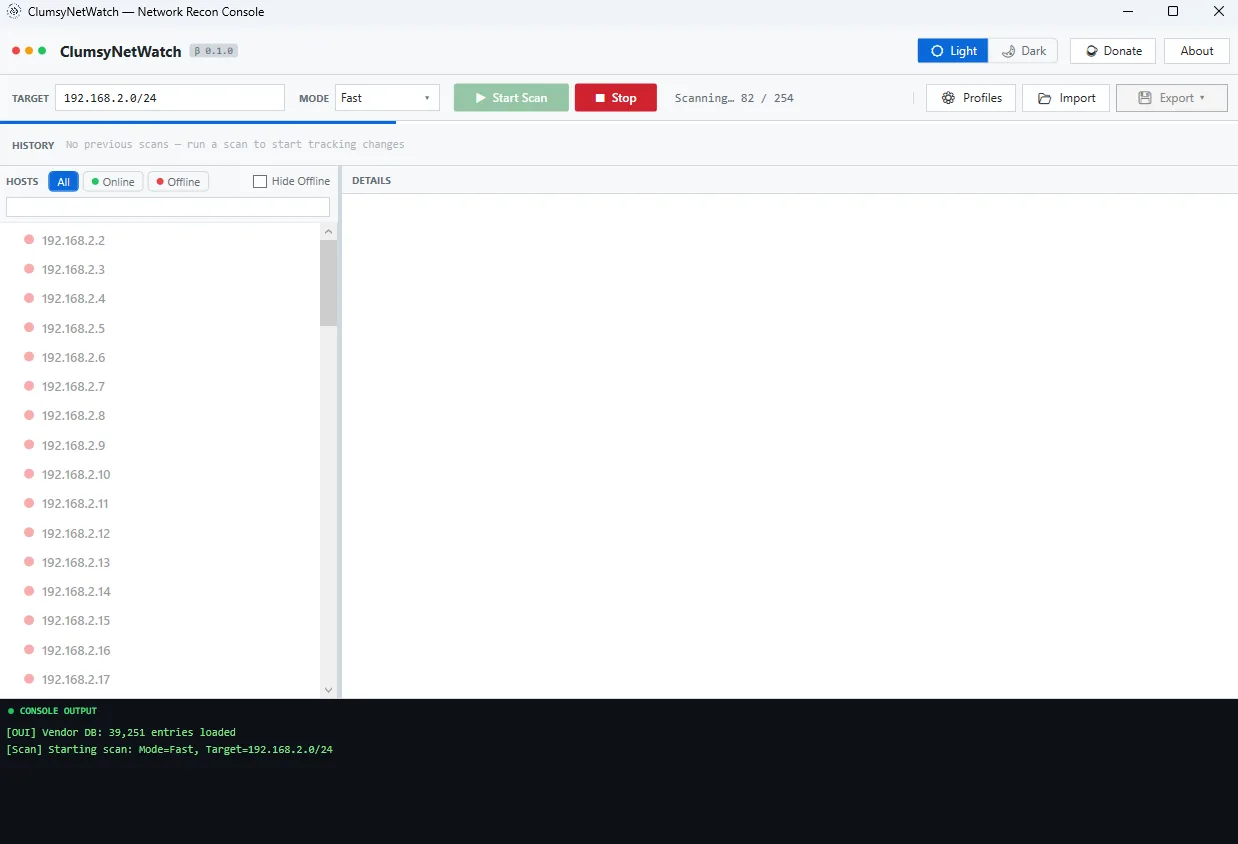
NetworkClumsyNetWatch™

RC2 positioning: discovery, ports, service inspection, notes, and change tracking.

View →
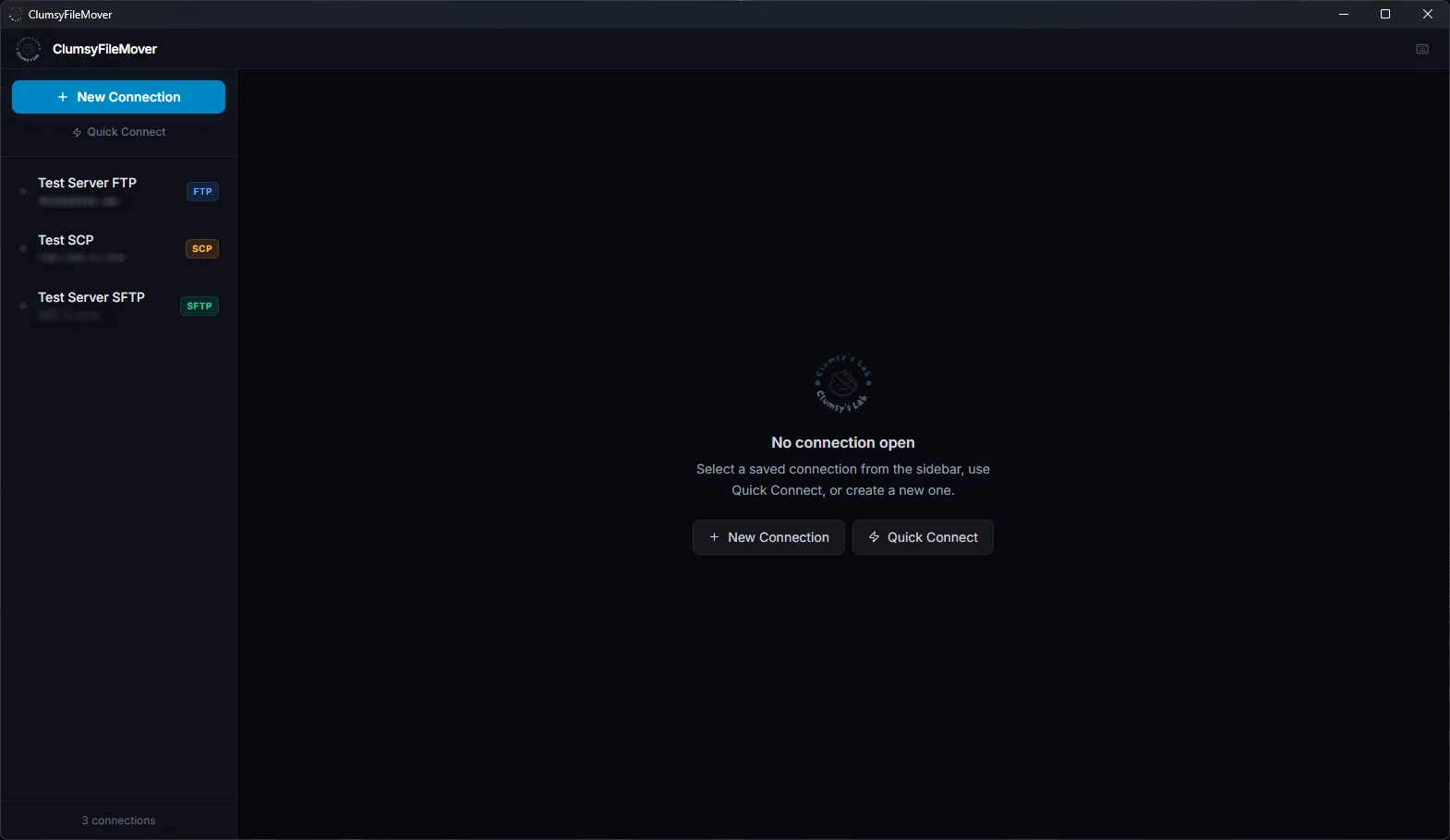
FilesClumsyFileMover™

GA file-transfer client with Pro licensing, scheduling, tunnels, and verification workflows.

View →
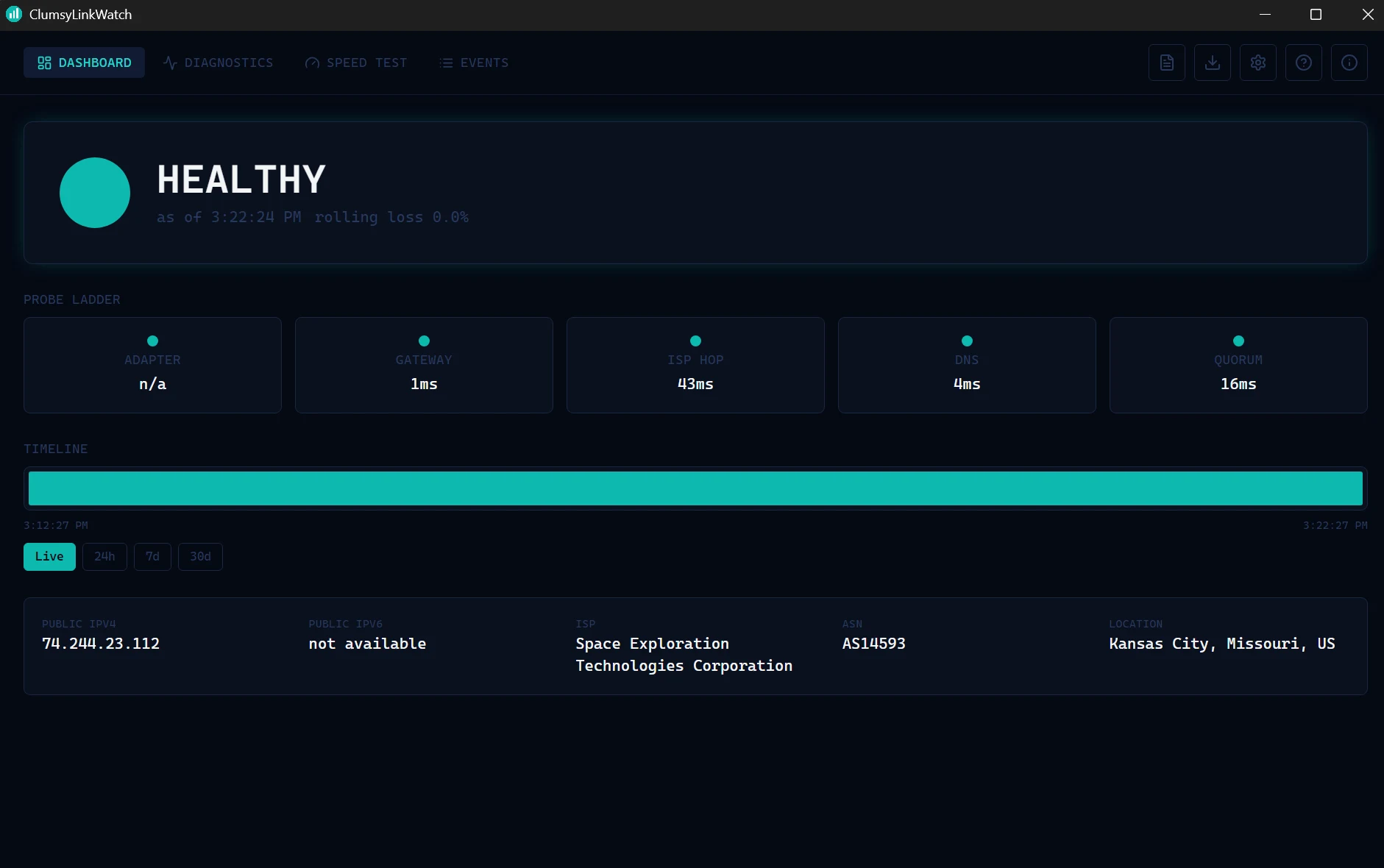
OutagesClumsyLinkWatch™

Public outage monitor for ISP evidence, probe ladders, timelines, reports, and alerts.

View →
MessagingClumsy Messenger

Dedicated retro private messenger at clumsymessenger.com with encrypted transit and no message logs.

Open →
products

The tool shelf.

The shelf now covers four active product lines: network visibility, controlled file movement, outage evidence, and private messaging. They are focused, versioned, and not trying to become a full management suite. That is still the point.

pick the problem

Start with the thing being annoying.

Most visitors do not arrive thinking in product names. They arrive with a network that changed, a transfer that failed, an ISP that is lying by omission, or a private chat they do not want shoveled into somebody else's growth dashboard.

What is on this network?

Discover hosts, inspect ports, keep notes, and compare what changed since the last scan.

Use ClumsyNetWatch™ →

I need this transfer to not be stupid.

Move files over FTP, SFTP, SCP, or FTPS with scheduling, checksums, and fewer little surprises.

Use ClumsyFileMover™ →

Was it me, the router, or the ISP?

Track outages, classify the likely fault, and export evidence when the internet does internet things.

Use ClumsyLinkWatch™ →

I want a private messenger that feels human.

Buddy lists, rooms, profiles, and encrypted chats with a retro IM feel and no message-log appetite.

Open Clumsy Messenger →
about

Built like a lab bench, not a pitch deck.

Clumsy's Lab LLC builds practical software for homelabbers, sysadmins, small IT teams, and infrastructure operators. The focus is simple: ship tools that help with real work, explain what they do, and avoid pretending every utility needs to become a cloud platform.

Specific beats shinyProduct pages should show actual workflows, screenshots, versions, and support paths.
Small tools are allowedNot every job needs a dashboard planet, a sales call, and a 40-page onboarding ritual.
Licensing stays readableFree downloads, Pro tiers, and commercial terms should be visible without legal spelunking.
Operator trust mattersDownloads, changelogs, privacy notes, and support links are product features too.
who it is for

For the awkward middle ground.

Clumsy's Lab is built for the people who own the weird network, the old workstation, the mystery service, the flaky internet link, and the private conversation that does not need a corporate babysitter.

Good fit

  • Homelabbers who want visibility without deploying a full monitoring stack.
  • Solo sysadmins and small IT teams that need direct Windows tools.
  • Operators who prefer clear exports, changelogs, local workflows, and products that explain themselves.
  • Power users who want practical utilities without enterprise cosplay.

Not trying to be

  • A full RMM suite with a sales pipeline attached.
  • A cloud-only dashboard for problems that can be solved locally.
  • A magical AI operations layer that mostly generates meetings.
  • A subscription trap wearing a tiny utility mustache.
trust signals

Practical means checkable.

The site should prove the company is alive and the tools are real. These are the trust signals we keep visible.

Win 10/11Desktop tools aimed at real Windows admin workstations.
VersionedPublic release stages, changelogs, and download surfaces.
DirectSupport and bug routes are visible instead of hidden behind a maze.
IndependentSmall shop energy. Real utilities. No enterprise perfume.
lab notes

What changes next should be visible, useful, and honest.

Site direction

The main site should feel more like a working product bench than a brochure. Real products, real stages, real links, and a little dry operator humor beat generic SaaS fog every time.

01Show the shelf

Every product gets a clear job, status, and next click.

02Use proof early

Screenshots, versions, downloads, privacy notes, and changelogs are trust signals.

03Keep it Clumsy

Readable, technical, slightly allergic to corporate perfume. Healthy instinct.

contact

Questions, licensing, weird edge cases?

Reach out if you need product help, commercial licensing information, or want to follow what is being built next.